
Download Synchredible – Free Folder Sync, Automatic Backup, Cross-Device Synchronization
Overview
Synchredible is a free mobile application designed to synchronize multiple folders across devices, offering a practical solution for users seeking reliable data management. The app addresses common challenges related to file duplication, outdated backups, and inconsistent access across platforms. By enabling seamless synchronization, Synchredible helps users maintain up-to-date copies of important documents, media, and project files regardless of the device they are using. This functionality is especially valuable for remote workers, students, and digital creatives who frequently switch between smartphones, tablets, and computers.
Target users include individuals managing multiple devices, small teams sharing project folders, and anyone seeking a streamlined way to keep their digital content consistent. The developer did not provide additional background information, but the app’s focus on simplicity and flexibility suggests a user-centric design philosophy. Real-world use cases include backing up photos from a smartphone to a cloud-connected folder, synchronizing work documents between a personal device and a shared drive, or maintaining consistent project files across different machines.
Within the broader app ecosystem, Synchredible fills a niche for lightweight, no-frills synchronization tools that prioritize reliability over complex integrations. Its release on May 15, 2025, marks a timely entry into a market increasingly reliant on cross-device data access. The app’s emphasis on intuitive setup and customizable sync profiles positions it as a viable alternative for users who want control without technical overhead.
Key Features & Functionality
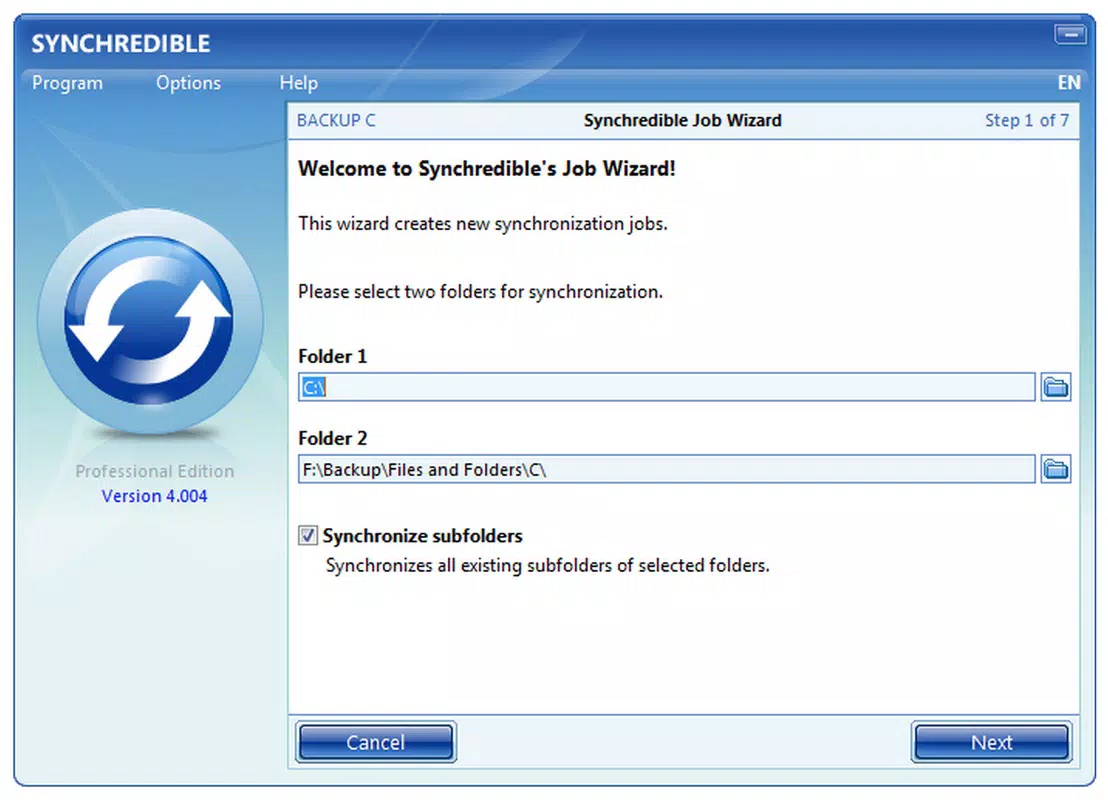
- User-Friendly Setup: Synchredible includes an intuitive installation wizard that guides users through configuration, reducing setup friction for both beginners and experienced users. This ensures a smooth onboarding process without requiring prior technical knowledge.
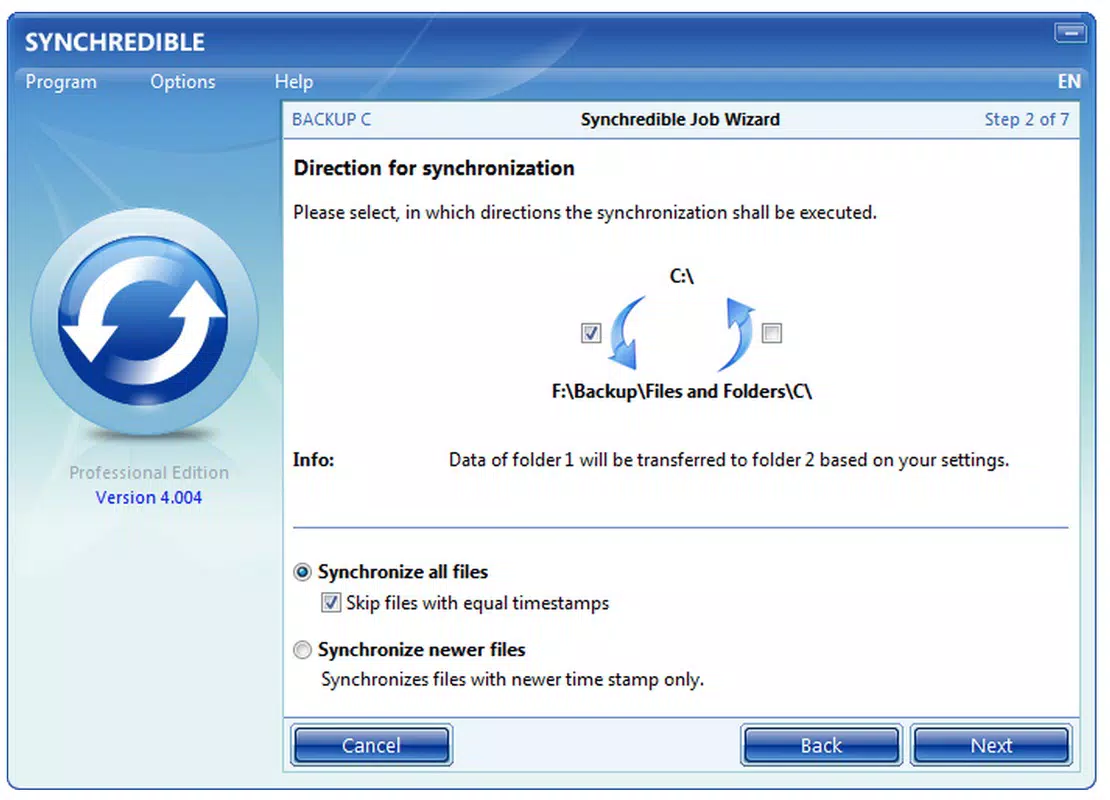
- Flexible Sync Modes: The app supports both unidirectional and bidirectional synchronization, allowing users to choose whether changes flow in one direction or both. This is ideal for scenarios like backing up a phone’s photo library to a computer or keeping two devices fully aligned.
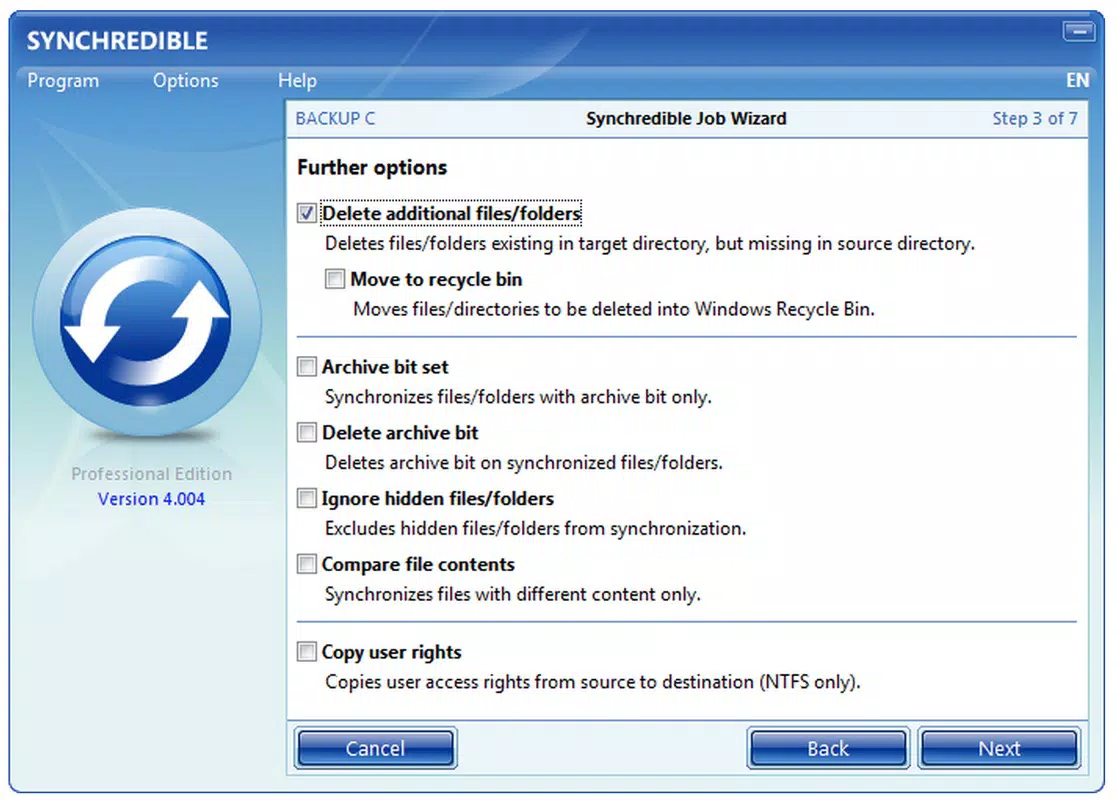
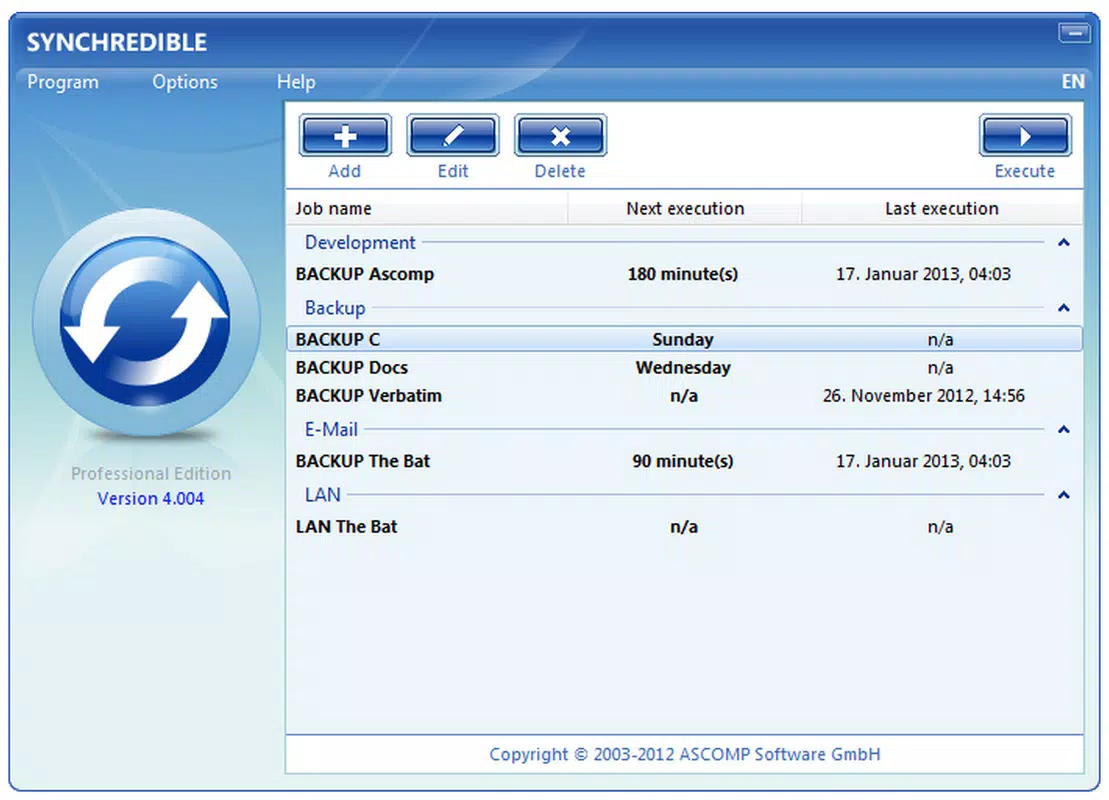
- Profile Management: Users can create multiple synchronization profiles, each with unique settings. This enables tailored workflows—for example, one profile for work documents and another for personal media—without interference between different data types.
- Event-Based Syncing: Synchronization can be triggered by specific events or scheduled times, enabling automation. This ensures files are updated without manual input, maintaining consistency during peak usage hours or after file modifications.
- Manual Synchronization Option: For users who prefer control, the app allows manual initiation of sync processes. This gives users the ability to trigger updates at convenient times, such as before a meeting or after completing a project.
These features collectively support real-world workflows such as automatic photo backup after a camera roll update, real-time document syncing between a laptop and a tablet, or on-demand folder updates during travel. The ability to customize sync behavior enhances usability across diverse personal and professional environments.
Real-World Use Cases
For a student managing research materials, Synchredible can sync notes and references across a tablet and a laptop using a dedicated profile. A freelance designer might use event-based syncing to update project folders immediately after saving new assets. A remote worker could rely on bidirectional sync to ensure all team-shared files remain current across multiple devices, minimizing version conflicts.
Interface, UX & Performance
The user interface of Synchredible is designed with clarity and efficiency in mind, featuring a clean layout that emphasizes functionality over visual clutter. Navigation is straightforward, with logical grouping of sync profiles, settings, and real-time sync status indicators. The app’s visual style leans toward minimalism, using consistent color cues and icons to denote sync states, such as success, pending, or error.
Users can expect a responsive experience across a range of device categories, although the developer did not specify formal performance metrics. The app’s design appears optimized for smooth interaction, with minimal lag during profile switching or sync initiation. Stability is implied through the absence of reported issues in the provided documentation, and the inclusion of both automatic and manual sync options suggests a balanced approach to user control and system reliability.
Although the developer did not list formal performance metrics, the app’s focus on intuitive setup and event-based automation indicates a commitment to seamless operation. Users should experience consistent behavior during regular use, with minimal disruptions during sync cycles. The interface remains accessible even when managing multiple profiles, supporting efficient workflow management without overwhelming the user.
Platform Compatibility & Technical Requirements
Synchredible is available for Android, supporting the latest version of the operating system. The app has a file size of 12.3 MB, making it lightweight and suitable for devices with limited storage. The developer did not specify minimum OS requirements or compatibility details for other platforms.
While the app is designed for Android, information about iOS availability or other device support was not provided. Users should verify compatibility with their specific device model and OS version before installation. The app’s small footprint suggests it can run efficiently on mid-range and entry-level Android devices without significant performance impact.
Pros and Cons
- Free to download and use with no hidden costs
- Intuitive installation wizard reduces setup complexity
- Supports both automatic and manual synchronization
- Flexible sync modes for different data management needs
- Multiple profiles allow customized workflows
- Event-based syncing enhances automation without user input
- Developer did not disclose compatibility with iOS or other platforms
- No information on real-time sync speed or bandwidth usage
- Specific technical requirements were not listed
- Performance under heavy sync loads was not detailed
- Advanced features like conflict resolution or encryption were not mentioned
FAQ
Is Synchredible available for iOS devices?
The developer did not provide information on iOS compatibility. The app is confirmed for Android, but availability on other platforms remains unconfirmed.
Can I sync folders across different devices using Synchredible?
Yes, Synchredible is designed to synchronize multiple folders across devices, supporting both unidirectional and bidirectional synchronization based on user preferences.
Does Synchredible require an internet connection?
The app’s synchronization functionality likely depends on network access, particularly when syncing with cloud-based folders or remote devices. However, the developer did not specify exact connectivity requirements.
How often can I schedule automatic syncs?
Users can set synchronization to trigger based on specific events or scheduled times. The exact frequency options were not detailed in the provided information.
Is my data secure during synchronization?
While the app enables file synchronization, the developer did not disclose details about encryption, data privacy, or security protocols during transfer.
Final Thoughts
Synchredible stands out as a reliable, no-cost solution for users seeking dependable folder synchronization across devices. Its intuitive setup, flexible sync modes, and profile management make it a practical tool for individuals and small teams managing multiple data sources. The inclusion of both automatic and manual sync options ensures adaptability to varying workflows, while the lightweight design enhances accessibility across different device types.
While some technical details remain undisclosed, the app delivers on core functionality with a focus on usability and control. For anyone needing a straightforward way to keep files consistent across devices, Synchredible offers a compelling value proposition. Its release in May 2025 positions it as a timely tool in an era of increasing digital mobility.
Download Synchredible now


